
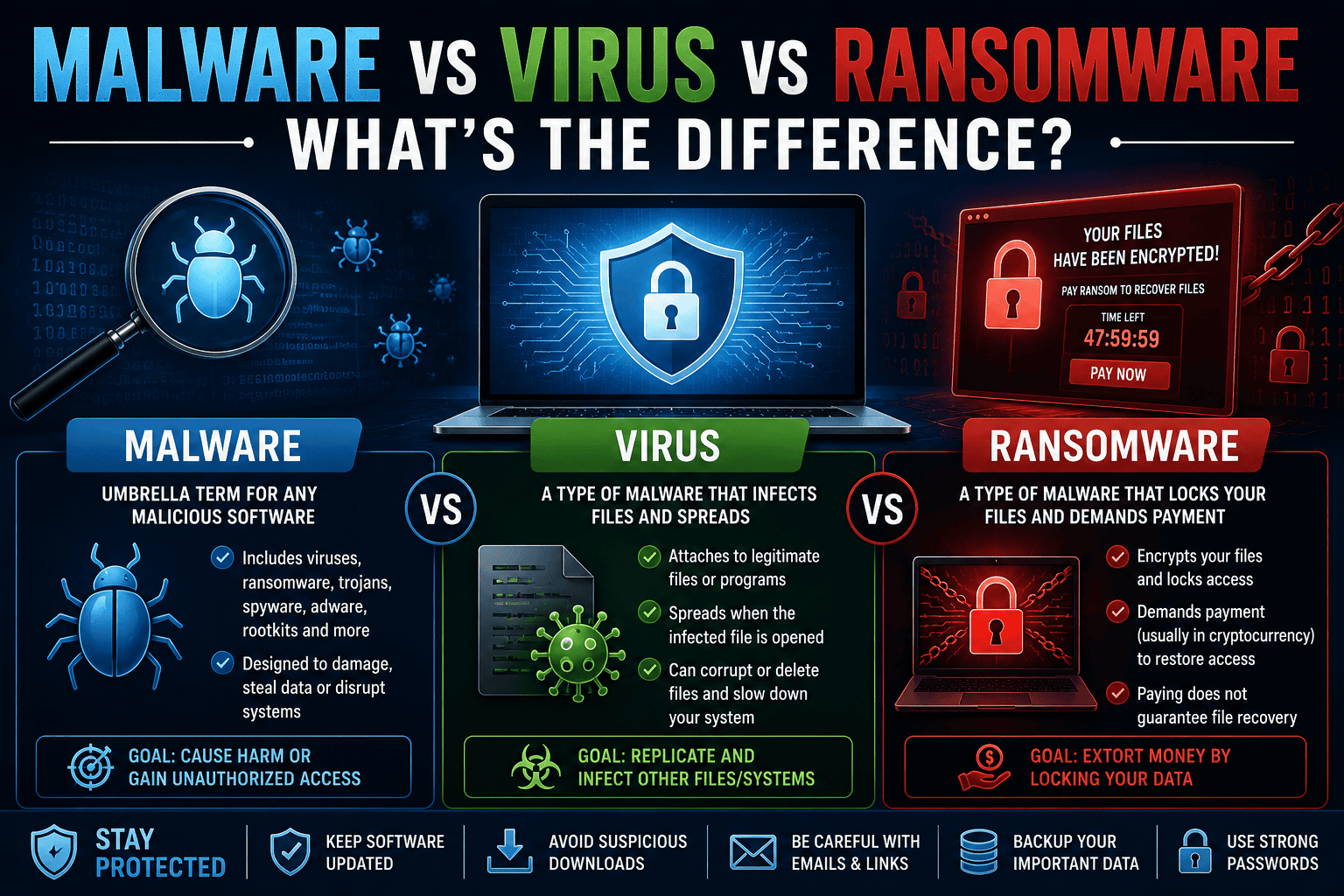
Malware vs Virus vs Ransomware: What’s the Difference?
If you’ve ever searched for cybersecurity tips, you’ve probably come across the terms malware, virus, and ransomware. Many people use these words interchangeably, but they don’t mean the same thing.
Understanding the difference between malware, viruses, and ransomware is essential because each threat works differently and requires different prevention strategies. Whether you’re protecting your personal laptop, smartphone, or a business network, knowing how these cyber threats operate can help you avoid costly mistakes.
In this guide, we’ll explain the differences between malware, viruses, and ransomware in simple terms, discuss how they spread, highlight real-world examples, and share practical tips to keep your devices safe.
Related Reading: Complete Cybersecurity Guide for Beginners
What Is Malware?
Malware is short for malicious software.
It is a broad term used to describe any software intentionally created to damage devices, steal information, spy on users, or disrupt computer systems.
Think of malware as an umbrella category.
Under this umbrella are many different types of malicious software, including:
- Viruses
- Ransomware
- Worms
- Trojans
- Spyware
- Adware
- Rootkits
- Keyloggers
This means that every virus is malware, but not every malware is a virus.
What Is a Virus?
A computer virus is a specific type of malware designed to attach itself to legitimate files or programs.
Much like a biological virus, it spreads by infecting other files and systems.
A virus typically requires human interaction to spread.
For example, it may infect your device when you:
- Download pirated software
- Open an infected email attachment
- Run an infected USB drive
- Install software from unknown websites
Once activated, a virus can:
- Corrupt files
- Delete important documents
- Slow down your computer
- Spread to other files
- Damage operating system components
What Is Ransomware?
Ransomware is another type of malware, but its purpose is very different.
Instead of simply damaging files, ransomware encrypts them and prevents users from accessing their own data.
The attacker then demands a ransom payment—usually in cryptocurrency—in exchange for a decryption key.
Victims often lose access to:
- Photos
- Videos
- Business documents
- Databases
- Customer records
Even after paying, there’s no guarantee the attacker will restore access.
The Relationship Between Malware, Viruses, and Ransomware
A simple way to understand the relationship is this:
Malware
├── Virus
├── Ransomware
├── Trojan
├── Spyware
├── Worm
├── Adware
└── Rootkit
Malware is the general category.
Viruses and ransomware are simply two different types of malware.
Malware vs Virus vs Ransomware
| Feature | Malware | Virus | Ransomware |
|---|---|---|---|
| Definition | Any malicious software | Malware that infects files | Malware that encrypts files |
| Main Goal | Damage or steal information | Spread and damage systems | Demand ransom payment |
| Requires User Action | Sometimes | Usually | Sometimes |
| Self-Replication | Depends on type | Yes | Usually No |
| Encrypts Files | Sometimes | No | Yes |
| Steals Data | Often | Sometimes | Sometimes |
| Requests Money | Rarely | No | Yes |
Types of Malware
Since malware includes many threats, let’s briefly examine the most common categories.
Virus
Attaches itself to files and spreads when those files are opened.
Worm
Unlike viruses, worms don’t require user interaction.
They spread automatically across networks by exploiting vulnerabilities.
Trojan
Named after the famous Trojan Horse, this malware disguises itself as legitimate software.
Users unknowingly install it, believing it’s safe.
Once installed, it can:
- Steal passwords
- Install spyware
- Download additional malware
- Give attackers remote access
Spyware
Spyware secretly monitors user activity.
It may record:
- Passwords
- Browsing history
- Credit card details
- Keyboard input
The collected information is sent to attackers.
Adware
Adware floods devices with unwanted advertisements.
Although often less dangerous than other malware, some adware tracks user behavior and compromises privacy.
Rootkits
Rootkits allow attackers to hide malicious activity deep within an operating system.
They’re extremely difficult to detect and remove.
How Viruses Spread
Viruses generally require user interaction.
Common infection methods include:
- Email attachments
- Pirated software
- Fake software updates
- Infected USB drives
- Malicious downloads
This is why avoiding untrusted software sources is so important.
How Ransomware Spreads
Ransomware usually enters systems through:
- Phishing emails
- Malicious downloads
- Remote Desktop Protocol (RDP) attacks
- Software vulnerabilities
- Compromised websites
Businesses are particularly attractive targets because they often depend on uninterrupted access to critical data.
Real-World Malware Examples
Understanding famous attacks helps illustrate the impact of these threats.
WannaCry Ransomware
One of the most devastating ransomware attacks in history.
WannaCry infected hundreds of thousands of computers worldwide by exploiting a Windows vulnerability.
Hospitals, businesses, and government agencies experienced major disruptions.
ILOVEYOU Virus
Released in 2000, the ILOVEYOU virus spread through email attachments disguised as love letters.
Millions of computers became infected within days.
Emotet
Originally a banking Trojan, Emotet evolved into one of the world’s most dangerous malware families.
It often downloaded additional malware, including ransomware.
Which Threat Is More Dangerous?
There isn’t a single answer.
Each poses different risks.
Malware
Broad category covering many different attacks.
Virus
Can spread rapidly and damage files.
Ransomware
Often causes the greatest financial damage because it locks users out of their own data.
For businesses, ransomware attacks can result in:
- Lost revenue
- Operational downtime
- Legal consequences
- Reputation damage
Signs Your Device May Be Infected
Watch for these warning signs.
Slow Performance
Your computer suddenly becomes much slower.
Frequent Crashes
Applications begin crashing unexpectedly.
Pop-up Advertisements
Unwanted ads appear constantly.
Unknown Programs
Software appears that you didn’t install.
Files Become Encrypted
Documents suddenly become inaccessible.
This often indicates ransomware.
Browser Redirects
Your browser sends you to unfamiliar websites.
High CPU Usage
Your device becomes unusually hot even when idle.
How to Protect Yourself
Fortunately, preventing malware infections is much easier than recovering from them.
Keep Software Updated
Updates patch security vulnerabilities before attackers exploit them.
Enable automatic updates whenever possible.
Install Trusted Security Software
Modern antivirus and endpoint protection solutions can detect many threats before they execute.
Don’t Download Pirated Software
Cracked applications remain one of the biggest sources of malware infections.
Always download software from official websites.
Be Careful with Email Attachments
Never open unexpected attachments.
Even if an email appears legitimate, verify the sender if you’re unsure.
Related Article: What Is Phishing? Examples and Prevention Tips
Use Strong Passwords
Unique passwords reduce the damage if one account becomes compromised.
Password managers make this much easier.
Enable Multi-Factor Authentication
MFA prevents attackers from accessing accounts even if passwords are stolen.
Backup Important Files
Backups provide the best defense against ransomware.
Follow the 3-2-1 backup strategy:
- Three copies
- Two storage locations
- One off-site or cloud backup
Malware vs Virus vs Ransomware: Which Is Easier to Remove?
Viruses can often be removed using reputable antivirus software.
General malware removal depends on the specific infection.
Ransomware is the most difficult because encrypted files usually cannot be recovered without backups or the decryption key.
For this reason, cybersecurity experts strongly recommend focusing on prevention rather than recovery.
Why Businesses Should Care
Organizations face significantly higher risks because they store valuable data.
A single malware infection can expose:
- Customer information
- Financial records
- Intellectual property
- Employee data
Modern businesses implement:
- Firewalls
- Endpoint Detection and Response (EDR)
- Employee cybersecurity training
- Network monitoring
- Email filtering
- Backup solutions
These layered defenses reduce the likelihood of successful attacks.
The Future of Malware
Cybercriminals are increasingly using artificial intelligence to create smarter malware.
Emerging threats include:
- AI-generated phishing campaigns
- Polymorphic malware
- Fileless malware
- AI-assisted ransomware
- Deepfake social engineering attacks
As these technologies evolve, cybersecurity awareness becomes even more important.
Frequently Asked Questions
Is ransomware a virus?
No. Ransomware is a type of malware, but it is not a virus. Its primary purpose is to encrypt files and demand payment.
Can antivirus software stop ransomware?
Modern security software can block many ransomware attacks, but no solution offers 100% protection. Regular backups and safe browsing habits remain essential.
Is all malware dangerous?
Yes. While some malware is more destructive than others, every form of malware poses a security risk.
What’s the biggest difference between malware and viruses?
Malware is the overall category of malicious software, while a virus is one specific type of malware that spreads by infecting files.
Cyber threats continue to evolve every day, from malware infections to ransomware attacks and phishing scams. Stay informed with the latest cybersecurity news, AI developments, technology updates, and online safety guides by visiting supernews.pk
Final Thoughts
Although the terms malware, virus, and ransomware are often used interchangeably, understanding the differences can help you make better cybersecurity decisions.
Malware is the broad category that includes many types of malicious software. A virus is designed to spread by infecting files, while ransomware focuses on locking your data and demanding payment for its release.
The most effective protection comes from combining good cybersecurity habits with modern security tools. Keep your software updated, avoid suspicious downloads, use strong passwords, enable multi-factor authentication, and maintain regular backups of your important files.
Cyber threats continue to evolve, but staying informed and practicing safe online behavior will significantly reduce your risk of becoming a victim.