


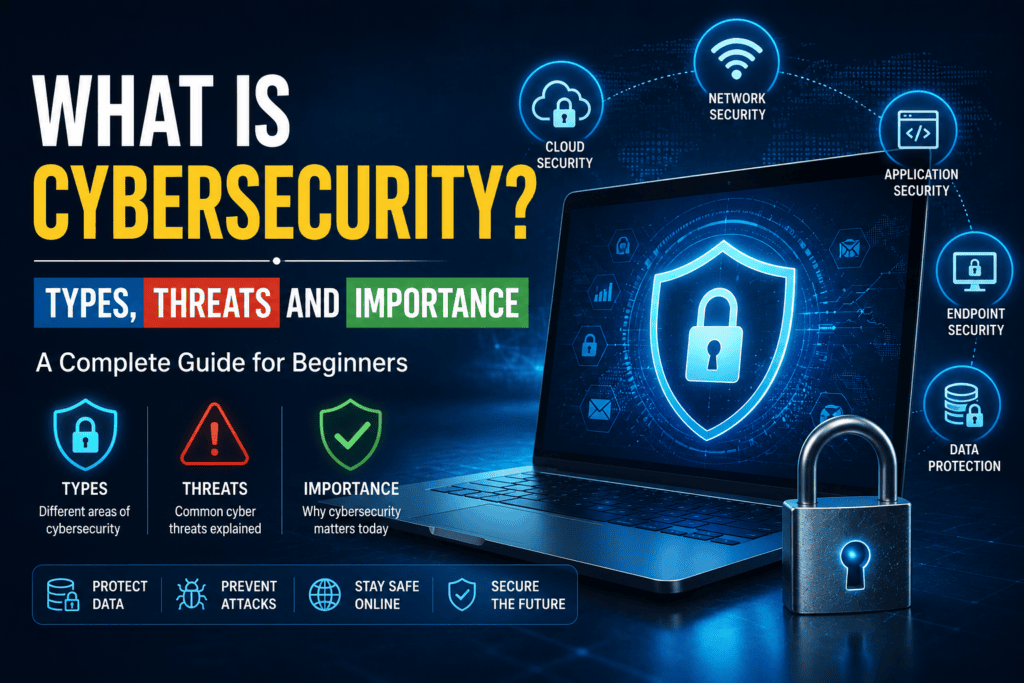
What Is Cybersecurity? Types, Threats and Importance
The digital world has transformed the way we live, work, and communicate. From online banking and shopping to social media and remote work, technology has become an essential part of our everyday lives. However, as our reliance on digital platforms grows, so does the risk of cyberattacks. Every day, cybercriminals attempt to steal personal information, hack accounts, spread malware, and disrupt businesses worldwide.
This is where cybersecurity comes in.
Cybersecurity is no longer just a concern for IT professionals or large corporations. Whether you’re a student, freelancer, business owner, or simply someone who uses a smartphone, understanding cybersecurity is essential for protecting your digital identity.
In this guide, we’ll explain what cybersecurity is, explore its different types, discuss the most common cyber threats, and explain why cybersecurity is more important than ever in 2026.
What Is Cybersecurity?
Cybersecurity is the practice of protecting computers, networks, mobile devices, software, and digital data from unauthorized access, cyberattacks, theft, and damage.
In simple terms, cybersecurity is like installing locks, security cameras, and alarm systems in your home—but for your digital life. It helps protect your personal information, financial details, emails, social media accounts, and business data from cybercriminals.
Cybersecurity combines technology, policies, processes, and user awareness to defend against online threats.
Whether you’re checking your bank account online or sending an email, cybersecurity works behind the scenes to keep your information secure.
Related Reading: Complete Cybersecurity Guide for Beginners
Why Is Cybersecurity Important?
Cybersecurity has become one of the most critical aspects of modern life because almost everything we do involves digital technology.
Here are a few reasons why cybersecurity matters.
Protects Personal Information
Every day, people share sensitive information online, including:
- Bank account details
- Credit card information
- National identity documents
- Home addresses
- Personal photos
- Medical records
Without proper security, this information can be stolen and misused.
Prevents Financial Loss
Cybercriminals often target banking apps, payment systems, and online shopping platforms to steal money.
Strong cybersecurity measures reduce the risk of fraud and financial theft.
Protects Businesses
Businesses store valuable customer information, employee records, financial data, and confidential documents.
A successful cyberattack can result in:
- Revenue loss
- Legal issues
- Damaged reputation
- Operational downtime
Investing in cybersecurity helps organizations maintain trust and business continuity.
Ensures Privacy
Privacy has become increasingly important in today’s connected world.
Cybersecurity helps prevent unauthorized access to your:
- Emails
- Messages
- Photos
- Cloud storage
- Personal documents
Supports National Security
Governments use cybersecurity to protect critical infrastructure such as:
- Power grids
- Airports
- Hospitals
- Financial institutions
- Defense systems
A cyberattack on these services can have serious consequences for public safety.
How Does Cybersecurity Work?
Cybersecurity relies on multiple layers of protection rather than a single solution.
These layers include:
- Firewalls
- Antivirus software
- Encryption
- Multi-factor authentication (MFA)
- Security monitoring
- User awareness training
- Regular software updates
When these measures work together, they create a strong defense against cyber threats.
Types of Cybersecurity
Cybersecurity covers several specialized areas, each designed to protect different parts of digital systems.
- Network Security
Network security protects computer networks from unauthorized access and cyberattacks.
Common network security tools include:
- Firewalls
- VPNs
- Intrusion Detection Systems (IDS)
- Intrusion Prevention Systems (IPS)
Businesses rely heavily on network security to protect internal systems.
- Application Security
Applications often contain vulnerabilities that hackers try to exploit.
Application security focuses on:
- Secure software development
- Security testing
- Code reviews
- Regular software updates
Keeping applications updated helps close known security gaps.
- Cloud Security
Many organizations now store data in cloud services such as Google Drive, Microsoft OneDrive, and Dropbox.
Cloud security protects:
- Cloud data
- User accounts
- Virtual servers
- Cloud applications
It also ensures only authorized users can access sensitive information.
- Endpoint Security
Every connected device is known as an endpoint.
Examples include:
- Desktop computers
- Laptops
- Smartphones
- Tablets
- Servers
Endpoint security protects these devices from malware, ransomware, and unauthorized access.
- Mobile Security
Smartphones contain a significant amount of personal and financial information.
Mobile security helps protect users from:
- Malicious apps
- Spyware
- SIM swapping
- Mobile malware
Downloading apps only from official stores is one of the easiest ways to improve mobile security.
- Internet Security
Internet security focuses on keeping users safe while browsing online.
This includes protection from:
- Fake websites
- Malicious downloads
- Browser-based attacks
- Unsafe public Wi-Fi networks
Safe browsing habits are an important part of internet security.
Common Cybersecurity Threats
Understanding cyber threats helps users recognize risks before they become victims.
Phishing
Phishing is one of the most common cyberattacks.
Attackers send fake emails or text messages pretending to be trusted organizations.
Their goal is to trick users into revealing:
- Passwords
- Banking information
- Credit card details
Always verify the sender before clicking links or downloading attachments.
Malware
Malware is software specifically designed to damage systems or steal information.
Common forms include:
- Viruses
- Worms
- Trojans
- Spyware
- Adware
Installing trusted antivirus software and avoiding suspicious downloads can help prevent malware infections.
Ransomware
Ransomware encrypts files and demands payment in exchange for restoring access.
Victims often lose access to important documents, photos, and business files.
Regular backups are the best defense against ransomware attacks.
Password Attacks
Hackers frequently target weak or reused passwords.
Popular attack methods include:
- Brute force attacks
- Credential stuffing
- Dictionary attacks
Using unique passwords and enabling multi-factor authentication greatly reduces this risk.
Social Engineering
Instead of attacking computers, cybercriminals manipulate people.
Examples include:
- Fake technical support calls
- Job scams
- Investment fraud
- Business impersonation
Always verify requests involving sensitive information or money.
Distributed Denial-of-Service (DDoS) Attacks
DDoS attacks overwhelm websites with massive amounts of fake traffic.
This causes websites or online services to become unavailable to legitimate users.
Large businesses often use specialized security services to defend against DDoS attacks.
Real-Life Examples of Cyber Threats
Cybersecurity threats affect people and organizations every day.
Some common examples include:
- Receiving a fake banking email requesting login details.
- Downloading an infected attachment disguised as an invoice.
- Using the same password across multiple websites.
- Connecting to an unsecured public Wi-Fi network.
- Installing software from unofficial websites.
Recognizing these situations can help prevent cyber incidents.
Why Cybersecurity Awareness Matters
Technology alone cannot stop every cyberattack.
Human error remains one of the biggest causes of security breaches.
Simple mistakes such as clicking suspicious links or using weak passwords can lead to compromised accounts.
Learning cybersecurity basics helps individuals make smarter decisions online.
Cybersecurity Best Practices
Improving your cybersecurity doesn’t require expensive software.
Start with these essential habits.
Use Strong Passwords
Create passwords that are:
- Long
- Unique
- Difficult to guess
Avoid reusing passwords across different accounts.
Enable Multi-Factor Authentication
Adding a second verification step significantly improves account security.
Authentication apps are generally more secure than SMS verification codes.
Update Software Regularly
Software updates often include important security patches.
Enable automatic updates whenever possible.
Be Careful with Emails
Never click suspicious links or download unexpected attachments.
Verify the sender if you’re unsure.
Backup Important Data
Regular backups help recover files if your system is infected with ransomware or experiences hardware failure.
Follow the 3-2-1 backup strategy whenever possible.
Avoid Public Wi-Fi Risks
Public Wi-Fi networks can expose your data.
If you must use one:
- Avoid online banking.
- Use a trusted VPN.
- Only visit HTTPS websites.
The Future of Cybersecurity
As technology evolves, cyber threats continue to become more sophisticated.
Emerging trends include:
- AI-powered cyberattacks
- Deepfake scams
- Cloud security challenges
- Internet of Things (IoT) vulnerabilities
- Zero Trust security models
- AI-driven threat detection
Cybersecurity professionals are increasingly using artificial intelligence to identify threats faster and improve incident response.
Who Should Learn Cybersecurity?
Cybersecurity knowledge benefits everyone.
It is especially valuable for:
- Students
- Remote workers
- Freelancers
- Business owners
- IT professionals
- Parents
- Gamers
- Online shoppers
Even basic cybersecurity awareness can prevent many common cyberattacks.
Frequently Asked Questions
Is cybersecurity only for businesses?
No. Individuals are frequently targeted by cybercriminals through phishing, malware, and identity theft.
Can smartphones be hacked?
Yes. Smartphones can be compromised through malicious apps, phishing attacks, unsecured Wi-Fi, or outdated software.
What is the biggest cybersecurity threat today?
Phishing remains one of the most common and successful cyber threats because it targets human behavior rather than technical vulnerabilities.
Is antivirus software enough?
No. Antivirus software is important, but it should be combined with strong passwords, software updates, multi-factor authentication, and safe browsing habits.
Cybersecurity is an ongoing journey, and staying informed is one of the best ways to protect yourself online. Along with following the best practices discussed in this guide, explore supernews.pk for the latest cybersecurity news, AI updates, smartphone security tips, and technology insights.
Final Thoughts
Cybersecurity has become an essential part of everyday life. As more of our personal and professional activities move online, protecting digital information is no longer optional—it’s a necessity.
Understanding what cybersecurity is, the different types of protection available, and the threats you may encounter is the first step toward building safer online habits. While cybercriminals continue to develop more advanced techniques, simple actions such as using strong passwords, enabling multi-factor authentication, keeping software updated, and staying alert to phishing attempts can significantly reduce your risk.
Cybersecurity is an ongoing process, not a one-time task. By staying informed and practicing good digital hygiene, you can protect your personal information, safeguard your finances, and browse the internet with greater confidence.
Whether you’re just beginning your cybersecurity journey or looking to strengthen your online security, investing time in learning these fundamentals will benefit you for years to come.